
Feel the EdgeLight effect.
The ultimate Windows Edge Light and Edge Glow webcam privacy indicator. EdgeLight turns Windows 10 & 11 camera activity into a luminous, cinematic screen edge border ring around your display.
Problem
The webcam LED is too small for modern work.
Calls happen across monitors, browsers, docks, and meetings. A tiny camera light is easy to miss, especially when attention is on the screen.
01
Browser tabs blur together
Privacy signals should live where your attention already is: the edge of the display.
02
Meeting apps hide in the background
Privacy signals should live where your attention already is: the edge of the display.
03
Camera state should be ambient
Privacy signals should live where your attention already is: the edge of the display.
Solution
The browser becomes the privacy product.
This site behaves like EdgeLight: energy travels around the viewport, reacts to motion, and keeps a living signal at the screen edge.
EdgeLight starts silently with Windows and waits in the tray.
When any app activates the webcam, the screen edge lights up instantly.
The glow stays alive until every camera session closes.
How it works
A local signal becomes a cinematic edge glow.
EdgeLight watches camera activity, paints a click-through overlay, and disappears only after the camera is fully released.
Registry camera signal
Designed to feel ambient, not intrusive, while keeping privacy status impossible to ignore.
Click-through overlay
Designed to feel ambient, not intrusive, while keeping privacy status impossible to ignore.
Multi-display routing
Designed to feel ambient, not intrusive, while keeping privacy status impossible to ignore.
Real-world Scenarios
Built for the midnight builders, creators, and students.
EdgeLight blends seamlessly into your nocturnal workflow. Here is how people are using it to stay private and focused.
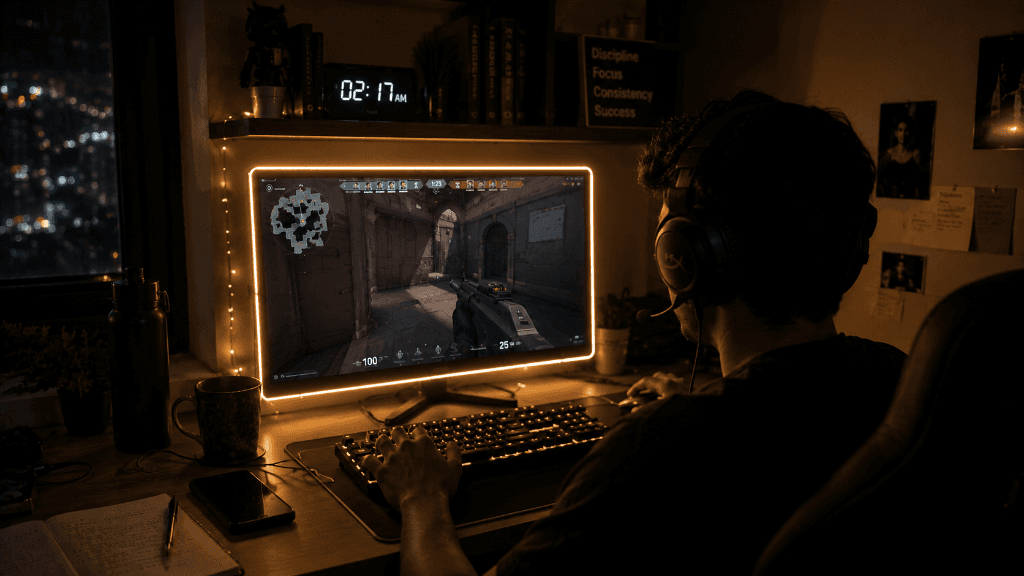
Late-Night Gaming & Streaming
Keep your focus on high-stakes games like Valorant in dark rooms. EdgeLight acts as a dynamic ambient backing, turning your webcam's active presence into a cinematic border that doesn't distract you from the action.

Creative Drawing & UI Design
Creators and digital artists working late into the night get a soothing screen border that provides perfect, low-glare desk illumination while sketching or editing portrait artwork.
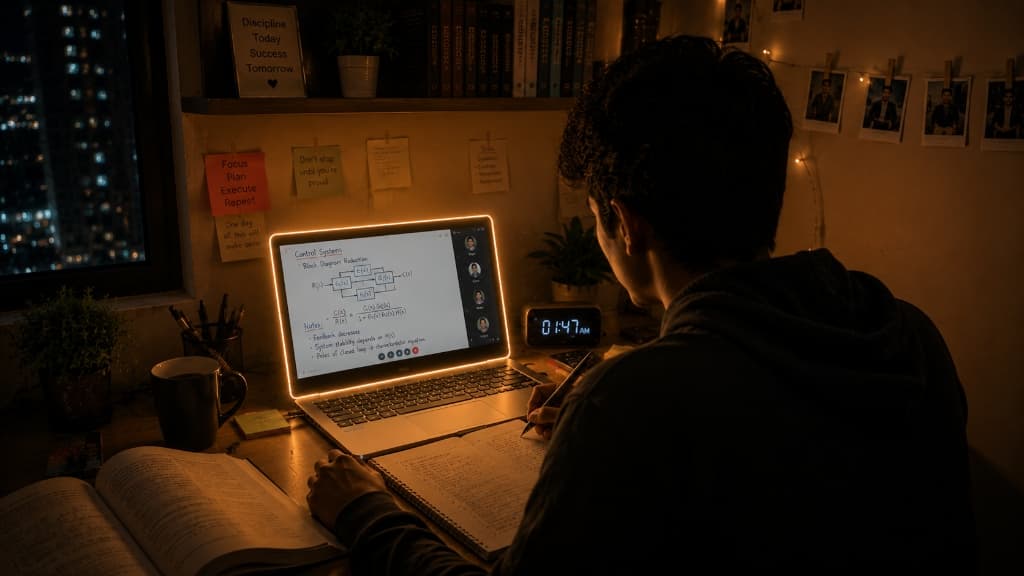
Midnight Study & Control Systems
Analyze equations, diagrams, and code comfortably. EdgeLight gives your desk setup a soft, glare-free aura, keeping you awake and focused without harsh overhead lights.
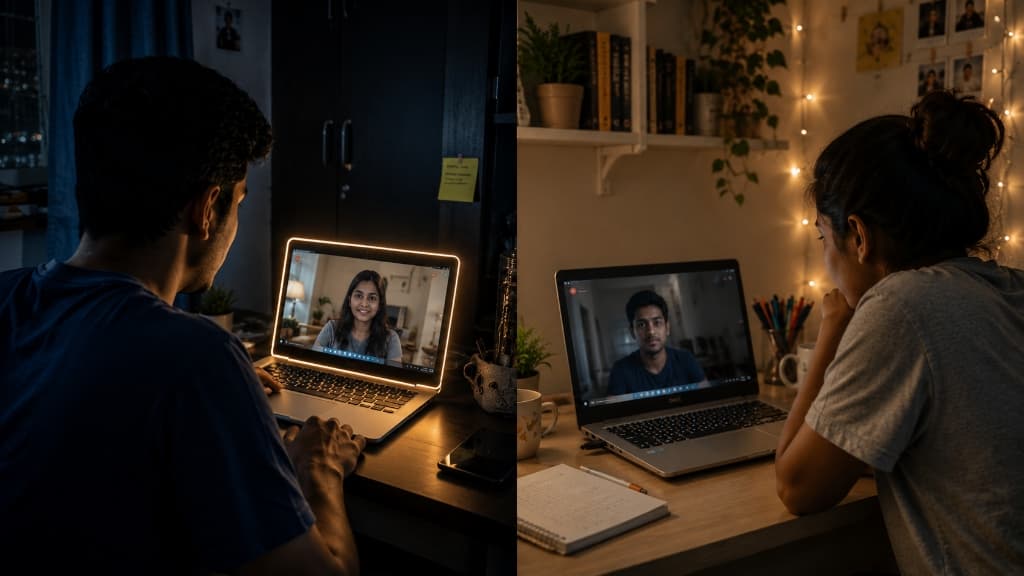 Without Glow
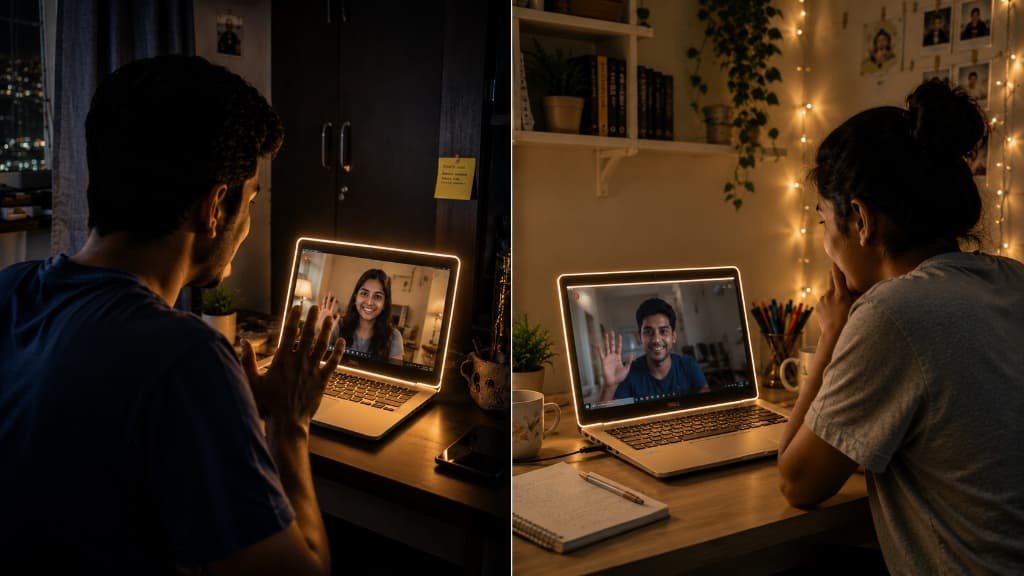 With EdgeLight
Secure Interactive Video Meetings
Instant before/after comparison: A standard video call leaves your screen dark and plain, but with EdgeLight, your entire display glows with warm, privacy-reinforcing ambient light to indicate active camera usage.
Privacy
A privacy app that does not ask you to trust a cloud.
EdgeLight is local-first. It does not open the camera stream, collect usage analytics, or send meeting metadata anywhere.
Zero camera feed access
EdgeLight reacts to Windows camera activity signals without reading pixels, frames, audio, or images.
Fluent desktop presence
A click-through border that feels native to Windows 11, not like a notification fighting for attention.
Multi-monitor aware
The privacy signal follows your real workspace, lighting up every display that should be visible.
Local by design
No account, no analytics pipeline, no upload path. Your privacy indicator stays on your machine.
Features
AAA polish, tiny footprint.
Every control is there for a reason: tune the glow, keep it subtle, preview the effect, then let it fade back into your workflow.
Brightness
Precision control from the tray.
Thickness
Precision control from the tray.
Temperature
Precision control from the tray.
Startup
Precision control from the tray.
FAQ
Frequently Asked Questions about EdgeLight & Privacy
Everything you need to know about the EdgeLight webcam indicator, privacy protection, and screen glow customization.
Q: What is Windows Edge Light & Edge Glow?
EdgeLight is an ambient screen border overlay and webcam privacy ring for Windows 10 & 11. Whenever any camera app becomes active, it paints a warm, cinematic edge light glow around the perimeter of your display.
Q: How does EdgeLight detect webcam activity on Windows?
EdgeLight monitors local Windows system registry camera activation signals natively in real time. It never opens or reads camera pixels, video streams, or audio feeds.
Q: How does EdgeLight differ from standard webcam lights?
Built-in laptop camera LEDs are tiny and easily overlooked when working across multiple monitors. EdgeLight creates a high-visibility screen edge light aura around your entire desktop display so you always know when your camera is active.
Q: Is EdgeLight compatible with Windows 10 & Windows 11 multi-monitor setups?
Yes! EdgeLight is built natively for 64-bit Windows 10 and Windows 11 operating systems, with full multi-monitor support and high-DPI display scaling.
Q: How do I download and activate EdgeLight?
After completing secure checkout via Razorpay on fits.ninja, you receive instant download access and confirmation email. Enter your delivery email address inside the EdgeLight Windows desktop app to unlock your lifetime access.
Download CTA
Subscribe, download, and light up privacy.
EdgeLight unlocks after Razorpay verifies the subscription. One license is $3 per user for 3 months.
One-Time Payment
₹200.00
per seat (Lifetime lock)